Floors and units
Create units floor by floor with exact floor lists (cellars, stilt, skipped floors), add or replace units, add single units like a clubhouse, and rename floor-0 names.
On this page
Units are the flats, shops, villas and other spaces in your project. Konkat uses them to track work per flat, to sell and book them, and to log complaints. You manage them under Project setup → Units.
How Konkat numbers floors#
- 0 is floor 0 — the stilt or ground floor. What it is called (Stilt, Ground…) is set on the Projects screen.
- 1, 2, 3… are the floors above.
- B1, B2 are cellars / basements. You can also type them as
-1,-2. Konkat shows them as Basement 1, Basement 2.
A floor list is written like B1, 0-12, 14-20: commas between parts, a dash for a range. Floors you leave out are skipped — handy for a building without a 13th floor.
Create units floor by floor#
The first panel, Create units floor by floor, makes many units in one go.
- Open Project setup → Units.
- Pick the mode — Add to existing list (the safe default) or Replace units on these floors.
- Type the floors — e.g.
1-8for Sunrise Residency’s flats. - Give Units per floor — e.g. 4.
- Optional details — a Name prefix (e.g.
A-for Tower A), a Type (Apartment, Villa, Shop…) and a Block / wing. - Check the preview line — e.g. 8 floors × 4 = 32 units (101 … 804). Skipped floors and units that will be replaced are listed too.
- Tap Add units (or Replace units).
Units are named prefix + floor + two-digit number: 101, 102 … 804; B101 for a cellar unit; S01 on a stilt floor labelled S.
Add to existing list#
Keeps every unit you already have and only adds names that do not exist yet. Running it twice does no harm.
Replace units on these floors#
Makes the chosen floors match exactly what you typed. Konkat asks you to confirm first. Then:
- Units with the same name stay — with all their history — and get the new type and block.
- Extra units on those floors are removed.
- Missing units are added.
Units with work recorded — progress, logs, QC, delays, bookings, leads, complaints or stock entries — are never removed. Konkat lists them back to you in a message so you know which ones stayed.
Replace only touches units in the same Block / wing you typed. Units of another block on the same floors are left alone.
Add one unit#
For a clubhouse, game room, gym, shop or store room, use the Add one unit panel:
- Name — e.g. Clubhouse.
- Floor — a number;
-1is basement 1 (B1),0is the stilt floor. - Type — pick from the list (Game room, Clubhouse, Gym, Amenity, Store room, Parking…) or type your own.
- Tap Add unit.
Single units are listed after the numbered flats on their floor and are not part of a “series” in the units table.
Remove units and floors#
In the units table below:
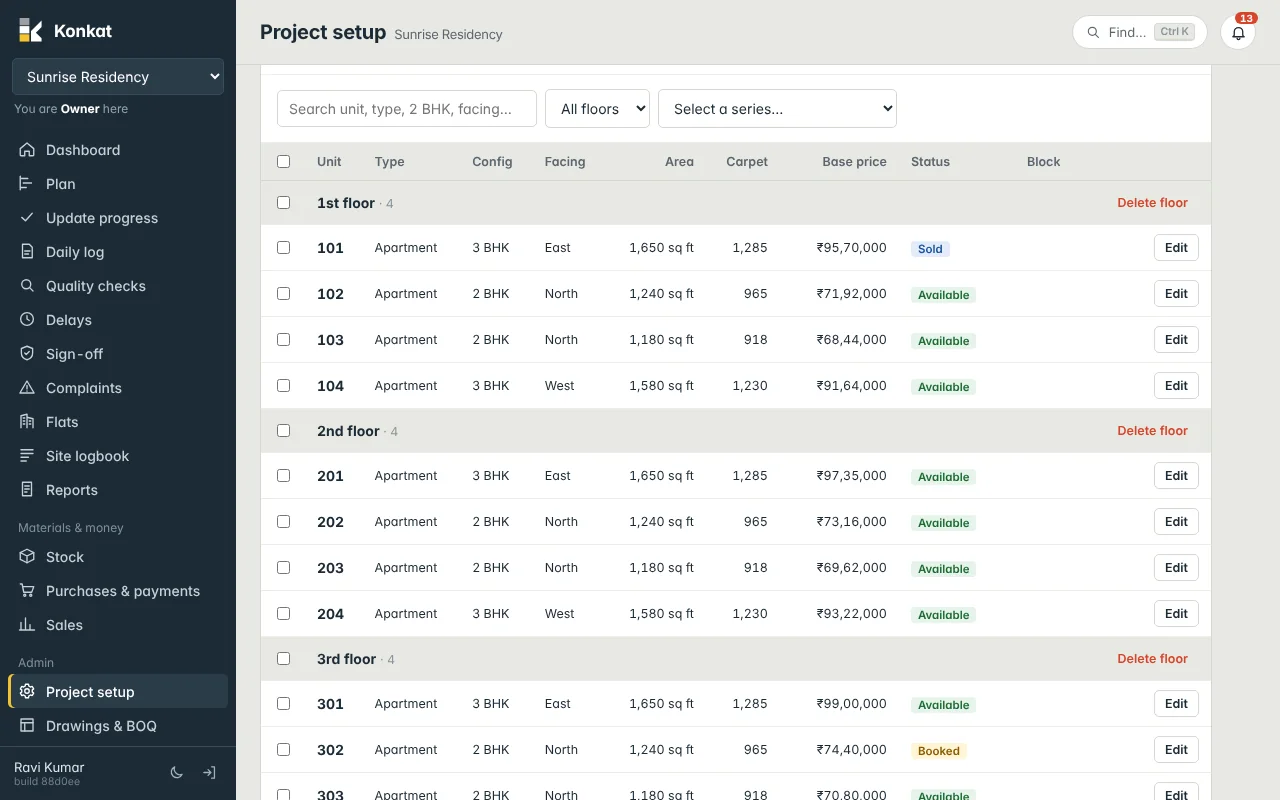
- Delete floor on a floor row removes every unit on that floor.
- Tick units and press Delete to remove just those.
- Open a unit with Edit and press Remove to remove one.
In every case, units with recorded work are kept and named in the message. See The units table.
Floor 0 names#
The panel Stilt floor names (it shows your floor-0 name) explains what floor 0 is called on every project. If older units or tasks still say Ground / G after you renamed floor 0, tap Rename existing names…. Konkat lists every unit and task on this project whose name will change — e.g. G01 → S01, “Ground floor slab” → “Stilt floor slab”. Owners and Admins can also tick Also rename steps in the template library. Tap the Rename … name(s) button (it shows how many) to apply. Names already taken are skipped and reported.
Units and the plan#
Tasks recorded Per flat & room pick up every flat on their floors. When you add, replace or remove units, Konkat updates those tasks for you: new flats appear on the task, removed ones disappear (only if nothing was recorded on them). Tasks recorded Per floor are not affected.
Common questions#
Who can change units?#
People whose project role includes Manage the project — Owner, Admin, or a custom role with that tick.
Can I rename a single flat?#
Yes. Open it with Edit in the units table and change Name. Two units on one project cannot have the same name.
We have Tower A and Tower B with the same flat numbers.#
Use a Name prefix (A-, B-) so the names differ, and set Block / wing for each tower.