Create a project
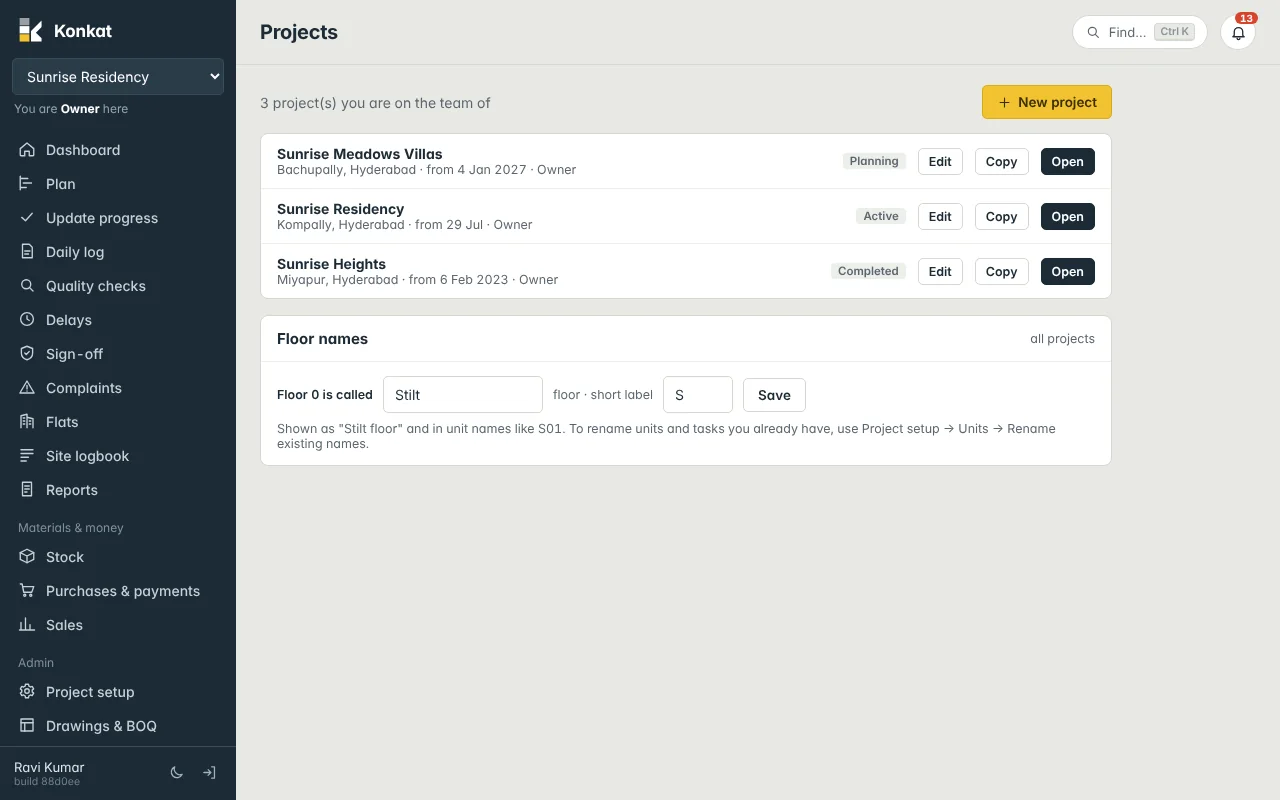
Create a new project with its floors and units, edit its name, dates and status, copy an existing project's plan, and set what floor 0 is called.
On this page
A project in Konkat is one site — an apartment block, a villa community, a commercial building. Everything else (plan, logs, stock, sales) belongs to a project. This article covers the Projects screen: creating, editing and copying projects.
Who can create projects#
Only people whose account type is Owner or Admin see the New project and Copy buttons. The person who creates a project becomes its Owner automatically, and nobody else can see it until they are added to its Team.
Create a new project#
- Open Projects — in the left menu under Admin (or More → Projects on a phone).
- Tap New project — the New project form opens.
- Fill the basics — Project name (e.g. Sunrise Residency), Location (e.g. Kompally, Hyderabad), Start date and Planned handover (optional).
- Give the units — under Units: Floors (counting floor 0), Units per floor, an optional Name prefix such as
A-, and the Unit type (Apartment, Villa, Office, Shop or Other). - Check the preview — a line under the form shows how many units will be made and their names, e.g. 20 units: S01, S02, 101, …, 404.
- Tap Create project — Konkat creates the project, its site store and the units, switches to it and opens the Plan.
How units are numbered#
Floors count up from floor 0. With 5 floors and 4 units per floor you get floor 0 (S01–S04 if floor 0 is called Stilt), then 101–104, 201–204, 301–304 and 401–404. The unit number is the floor followed by a two-digit position.
The New project form always starts at floor 0. For cellars (B1, B2), a stilt with no flats, or a skipped 13th floor, set Floors and Units per floor to 0 here and create the units afterwards under Project setup → Units, where you can type exact floors like B1, 1-8. See Floors and units.
Edit a project#
On the Projects screen, Edit appears next to projects where you are Owner or Admin. It changes the Project name, Location, Start date, Planned handover and Status:
- Planning — not yet started on site.
- Active — work is going on.
- On hold — paused.
- Completed — handed over.
The same fields, plus more settings, are under Project setup → Details. See Project settings.
The Start date matters. From that date on, Konkat treats the project as started: moving or stretching tasks on the plan is recorded as a revision, with a reason. See Plan changes after the start.
Copy a project#
Building the same tower again on another site? Copy saves you rebuilding the plan.
- Tap Copy next to the project you want to copy.
- Name it — New project name (it starts as the old name + “(copy)”), Start date and Location.
- Choose the units — tick Generate new units and give Floors, Per floor and Prefix, or untick it to copy the original project’s flats.
- Choose the team — tick Copy the team and their roles to bring the same people across.
- Tap Copy project.
The copy has the whole plan — tasks, links, durations, materials lists and rooms — shifted to the new start date. Progress, logs and photos are not copied. After that the two projects are independent; changing one never changes the other.
Floor names (all projects)#
The Floor names panel on the Projects screen, visible to Owners and Admins, sets what floor 0 is called on every project: Floor 0 is called (e.g. Stilt) and a short label of up to three letters (e.g. S). Tap Save. Konkat then says “Stilt floor” everywhere and names floor-0 units S01, S02….
Units and tasks made before the change keep their old names. To rename them, open Project setup → Units and tap Rename existing names…. Konkat shows every unit and task name that will change before you confirm.
Common questions#
Can I delete a project?#
Not from the Projects screen. Set its status to Completed or On hold instead. Ask your administrator if a test project really needs removing.
I created the project with the wrong number of floors.#
Fix the units under Project setup → Units using Replace units on these floors, or delete whole floors from the units table. See Floors and units.