What is Konkat?
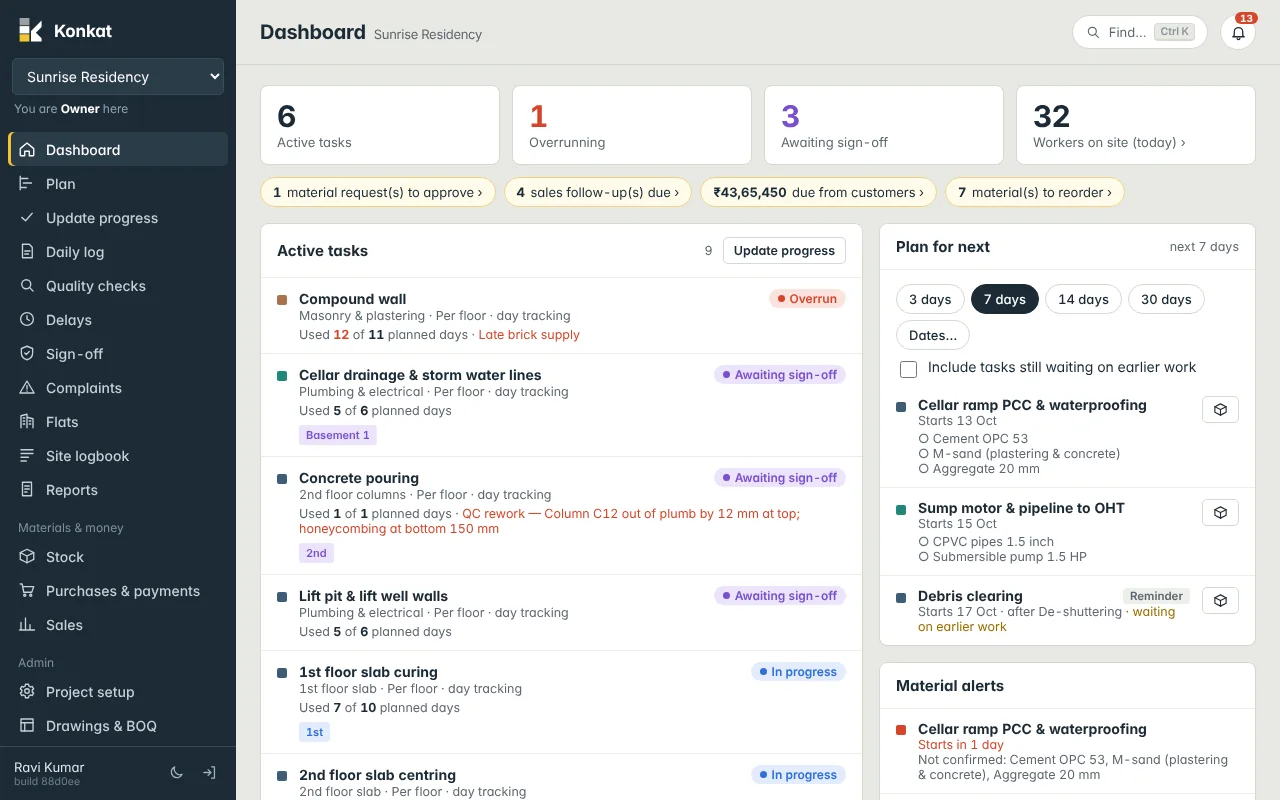
Konkat follows a building from the plan to handover: the Gantt plan, daily site work, quality, materials and money, and sales — on a phone or a computer.
On this page
Konkat is a web app for running a construction project from the first plan to the day you hand over the keys. Everyone on the project — office and site — works on the same live record, from a phone or a computer.
What Konkat does#
Konkat follows one building (or several) through five areas:
- The plan — a Gantt chart of every task: slab cycles, blockwork, plastering, tiling, MEP. Tasks are linked, so when one is late the work after it moves too. See The Gantt chart.
- Site work — what happens on site every day: progress per floor or per flat, daily logs, the workers sheet, photos and delays. See Update progress and Daily log.
- Quality — QC checks, concerns and their fixes, sign-off of finished work, and complaints from the team or customers.
- Materials and money — stores and stock, material requests, purchase orders, deliveries, payments and the money summary.
- Sales — leads, follow-ups, unit bookings, payment schedules and money received from customers.
Behind all of this sits the project itself: its floors and units (flats, shops, clubhouse…), and the team of people who work on it.
Who uses it#
Konkat is built for Indian builders and developers. A typical team on one project looks like this:
| Person | Role in Konkat | Uses Konkat mainly for |
|---|---|---|
| Ravi Kumar (MD) | Owner | Everything — plan, money, sales, people |
| Suresh Reddy (project engineer) | Engineer | Plan, progress, QC, sign-off |
| Imran Khan (site supervisor) | Supervisor | Progress, daily logs, workers sheet, stock in/out |
| Lakshmi Devi (quality) | QC | QC checks, sign-off, complaints |
| Anil (stores) | Storekeeper (custom role) | Stock, transfers, material requests |
| Priya (accounts) | Accounts (custom role) | Purchase orders, payments, money summary |
| Kiran (sales) | Sales (custom role) | Leads, bookings, customer payments |
Each person sees only the screens their role allows, and only the projects they have been added to. See Roles and permissions.
Phone first, desktop when you need it#
Site people mostly use Konkat on a phone. The bottom bar has Home, Update, the yellow + button, Log and More. Marking a floor done, sending a daily log or filling the workers sheet takes a few taps, with photos straight from the camera.
Office people mostly use a computer: the Gantt plan, units table, purchase orders and reports are easier on a big screen. Both see the same data at the same time.
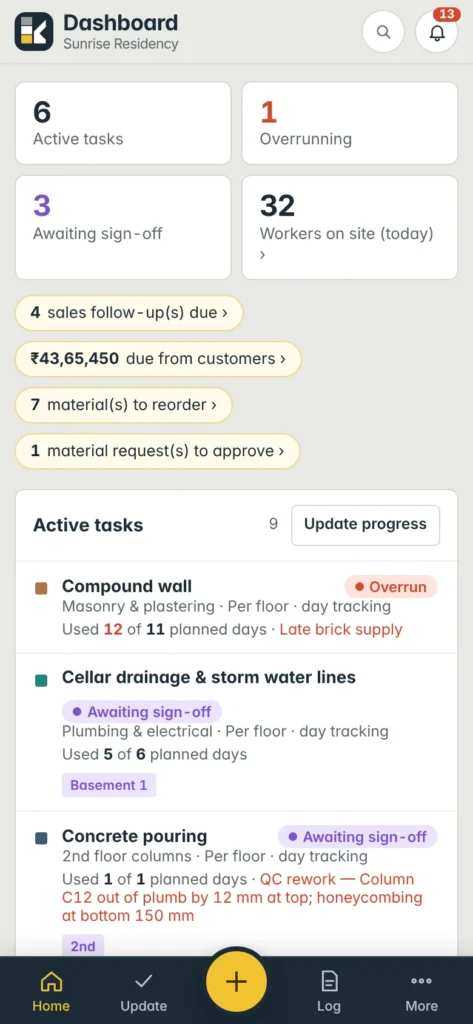
Konkat can be installed on a phone like an app. See Install the app.
How the pieces connect#
Konkat is useful because the parts feed each other:
- Progress taps on site fill the bars on the plan and roll up into the Dashboard.
- Daily logs count the days used on a task. When more days are used than planned, the task shows as Overrun.
- A delay logged with its cause can add days to the task, and every linked task after it moves out.
- Material used in an end-of-day log is taken out of the project’s site store automatically.
- Material estimates on tasks add up into the Auto BOQ, which compares what the plan needs with what is ordered and on site.
- A booking’s payment schedule can make a line due when a task on the plan is done — for example “On completion of 3rd floor slab”.
What Konkat is not#
Konkat is not an accounting package. It records purchase orders, payments and customer receipts so you can see what is ordered, paid and due — but your books, GST returns and TDS stay in your accounting software. It also does not replace your drawings software; it stores drawings so the site can open the latest copy.
New to Konkat? Follow Your first project step by step, then look at Quick start by role to give each person a short checklist for their first day.