Stock and movements
See what is in each store and record stock in, material used on site, transfers, count corrections and returns.
On this page
The Stock tab shows what every store holds, and every change to it is a movement. Most movements are made for you — deliveries on purchase orders, material used in daily logs, sends on material requests — and you record the rest by hand.
Who can do what#
- See stock — open Stock and see quantities. All built-in roles have it.
- Stock in / out — the + Stock in, Used on site and Transfer buttons, and cancelling entries. Owner, Admin, Engineer and Supervisor by default.
- Request material — the Request material button. See Material requests.
Money is hidden from people without Purchase orders or Payments & money on the project: they see quantities but no stock value, rates or movement amounts. A Storekeeper role with only stock rights sees “185 Bag”, not “₹67,582”.
The Stock tab#
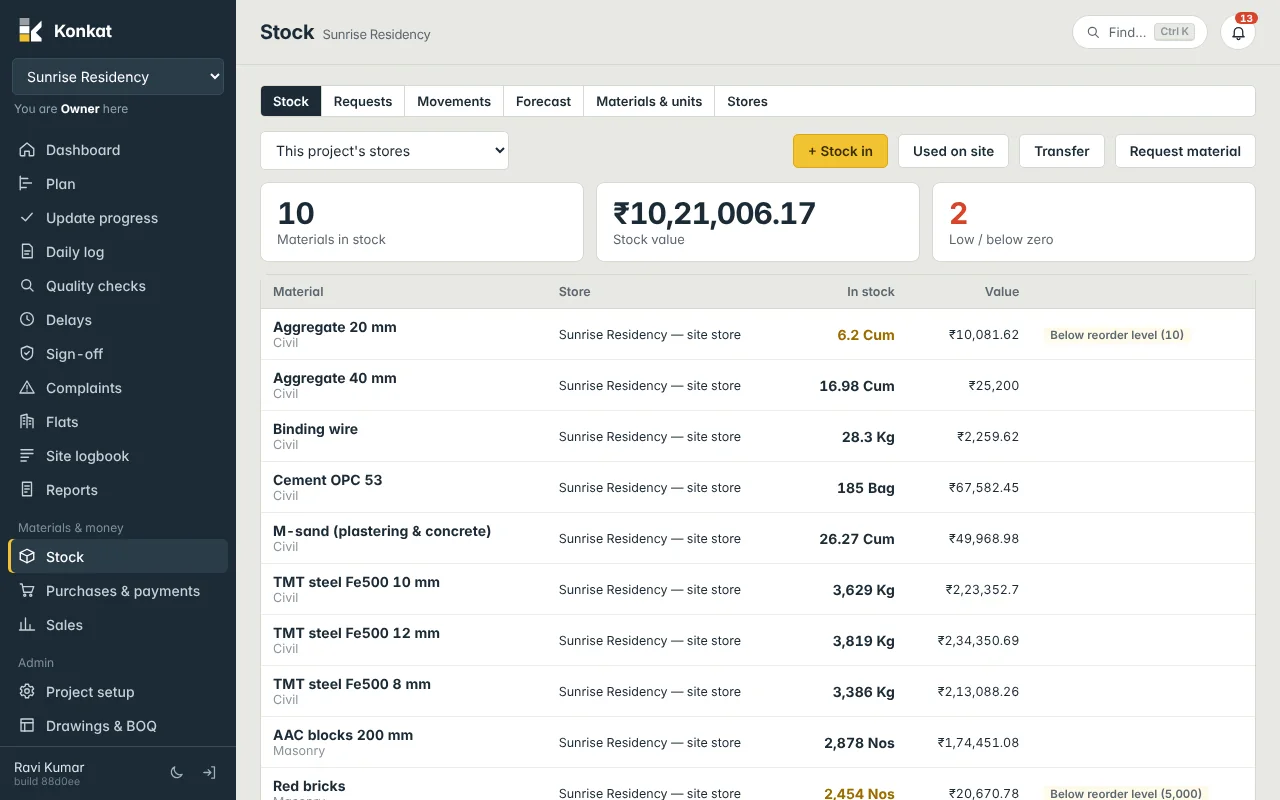
Choose This project’s stores, Every store I can see, or a single store. The tiles show Materials in stock, Stock value (money rights only) and Low / below zero. Each line shows the material, store, quantity in its stock unit and value, with a tag when it is:
- Below reorder level (100) — fewer than the material’s reorder level.
- Below zero — a delivery isn’t recorded — usage was logged before the delivery. Record the receipt and it corrects itself.
Tap a line to see its history: each date, movement type and + or − quantity.
Movement types#
| Type | Use it for | Stores |
|---|---|---|
| Stock in | Opening stock, cash purchases, anything arriving without a purchase order. Has Supplier (optional), Bill / challan no. and Rate ₹. | Into store |
| Used on site | Material consumed, optionally on a task. | From store |
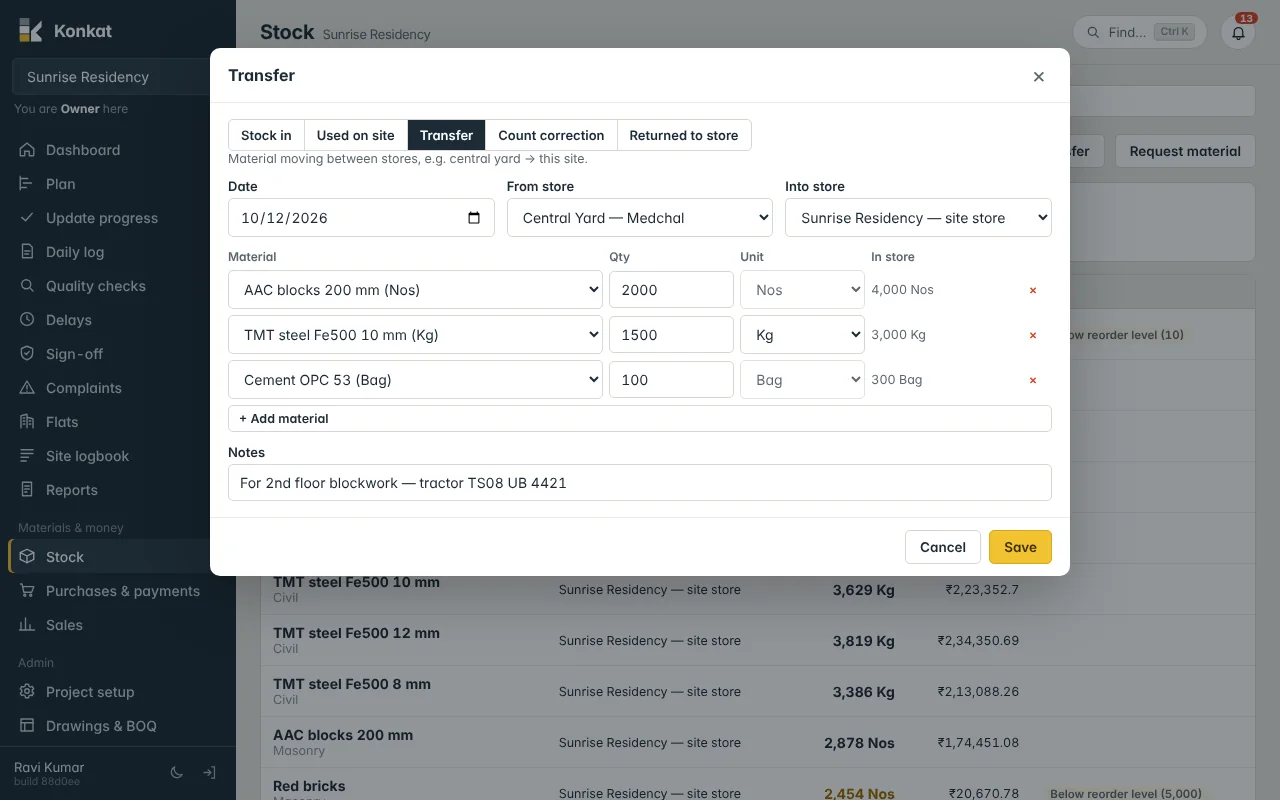
| Transfer | Moving material between stores, e.g. central yard → site. | From and into |
| Count correction | After counting a store: + adds what was missing in the books, − removes what is not there. | Store counted |
| Returned to store | Unused material going back into a store. | Into store |
For a delivery against a purchase order, don’t use Stock in — open the order and use Receive delivery, so the order shows what has arrived. See Receiving deliveries.
Record a movement#
- Open the form — press + Stock in, Used on site or Transfer (on a phone: + → Stock in / used). Switch type with the buttons at the top of the form.
- Date and stores — dates can’t be in the future. The site store is filled in for you.
- Materials — pick each material, the Qty and the Unit (stock or bought-in unit). For Stock in add the Rate ₹ per unit you chose; for issues and transfers the In store column shows what the store holds and turns red if you ask for more.
- Task — for Used on site, pick Used on task if you know it, so the cost lands on that task.
- Save.
Konkat won’t let you take out more than a store holds: “Not enough Cement OPC 53 in Central Yard — Medchal: 80 in stock, 100 needed.” The only exception is material used in a daily log, which may take the site store below zero.
Movements made for you#
- Daily log — materials picked from the list under Material used today in an end-of-day log become a Used on site entry from the site store on that task, quantity plus waste. Editing the log redoes the entry. See Daily log.
- Purchase order deliveries — Stock in at the order rate. See Receiving deliveries.
- Material requests — Send from a store records a Transfer into the site store.
How value is worked out#
Material comes in at its rate and leaves at the store’s average rate. Example: the site store has 100 bags of cement worth ₹37,000 (₹370 a bag). 200 bags arrive at ₹380 (₹76,000). The store now has 300 bags worth ₹1,13,000 — ₹376.67 a bag. When 50 bags are used on 3rd floor slab, ₹18,833 of cement is charged to that task. This value feeds Material used on site in the Money summary.
The Movements tab and cancelling#
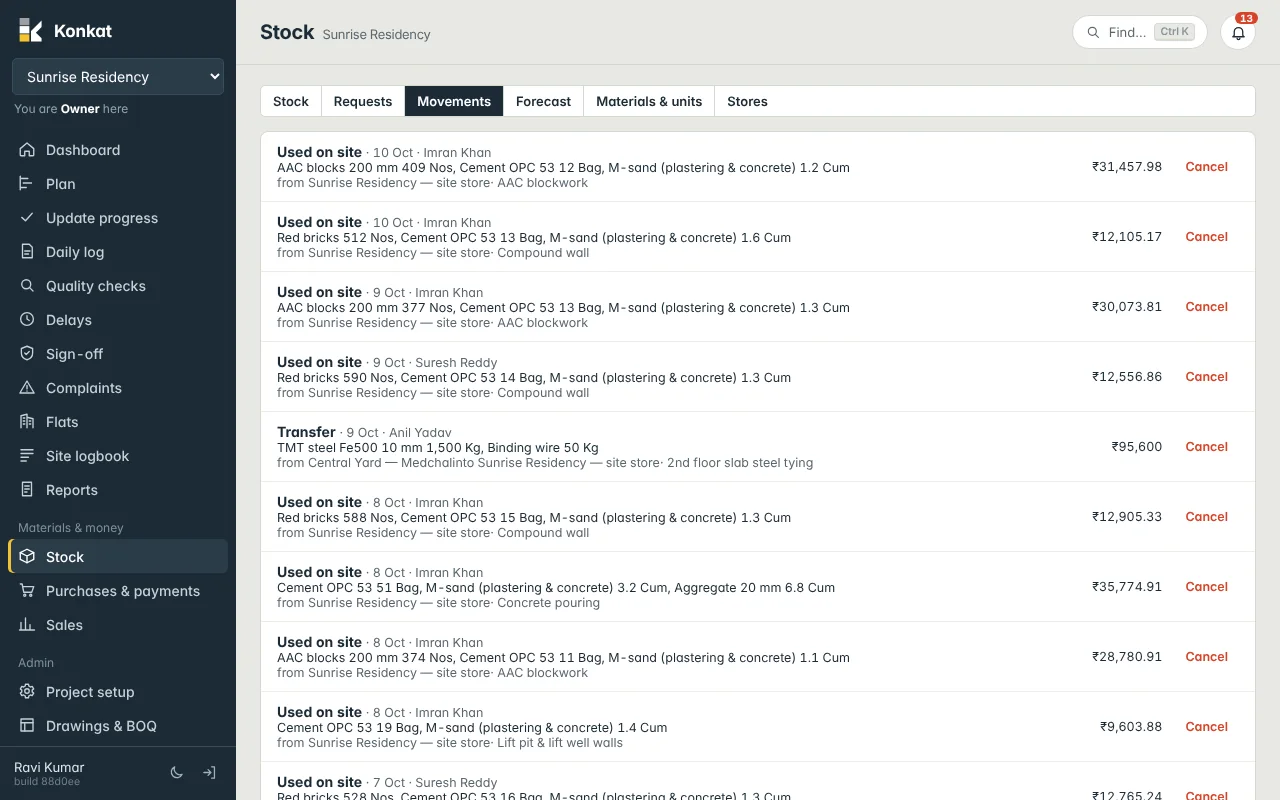
Movements lists every entry, newest first, with type, date, who made it, materials, stores, task, supplier, challan number and value. A wrong entry can be cancelled: press Cancel, give the reason, and its quantities are taken back out. It stays in the list marked CANCELLED.
- Only the person who made the entry, or someone who can manage the project, can cancel it, and they need stock rights on its stores.
- You can’t cancel a receipt whose material has already been used or moved — record a Count correction instead.
- Cancelling a delivery updates the purchase order’s received quantities; cancelling a send updates the request.
- For a wrong daily-log quantity, correct the daily log itself — see Corrections.